Change the "Default refresh type" of the entities to Full Push only and change it back to Incremental after the full refresh job is completed.
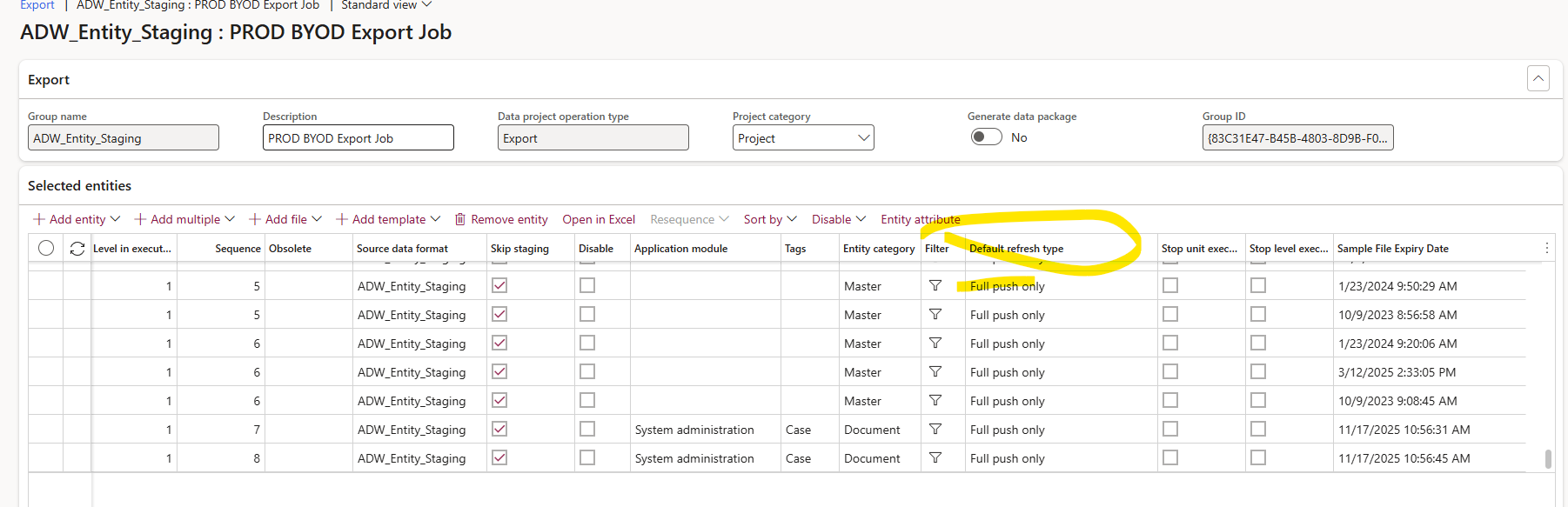
The full refresh is not currently scheduled to run, so you will need to do that manually on demand
RDP on to the Data warehouse server "Hagerco-D365-DW". Connect to the SQL Server and expand SQL Server Agent.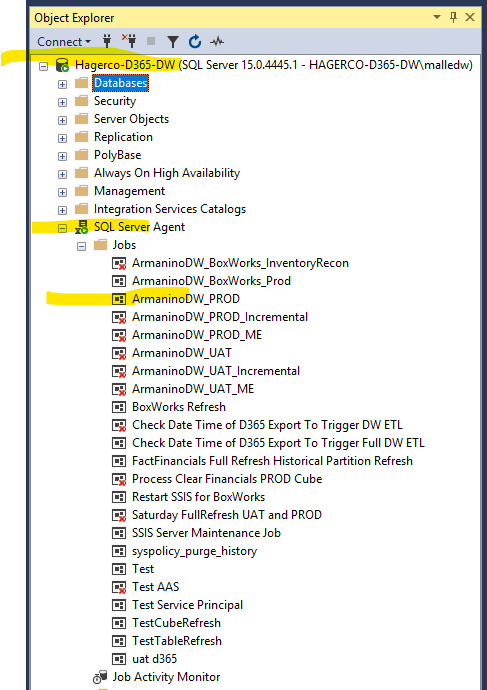
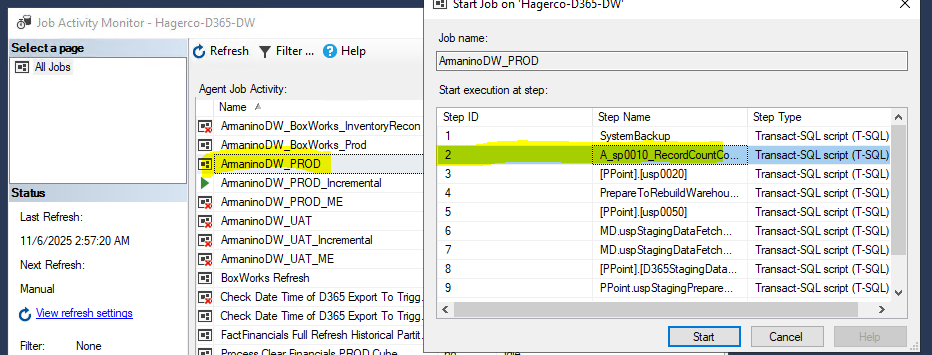
-> Find the “ArmaninoDW_PROD” job > Right click > start Job at step > click on step 2 > start
If you are running late then make sure to disable the “Check Data Time of d365 export…” agent job while the full refresh is running and enable it after. This is scheduled to run every 10 mins but only between 1am and 5am.
Was this article helpful?
That’s Great!
Thank you for your feedback
Sorry! We couldn't be helpful
Thank you for your feedback
Feedback sent
We appreciate your effort and will try to fix the article