TRY THIS IN UT BEFORE GOING TO PROD
-----------------------------Expiring Dates------------------------------------
Here’s the steps we need to follow for Special
- Export the Sales Agreement entity file from PROD D365 with All fields. - make sure it includes RecordID.
- Update the file with the 'To data' and special net flag set to 'NO'. Import the same file back into D365, ensuring that the same RecordID exists.
------------------------------------------------------------------------------------------------------------------------------------------------------------------------------------------------------------------------------------------------------------------------------------
--------Increased prices for Special Nets----------
1. Send a copy of exported file without any change to Anne for her to update the prices.
2. Import the new file (Anne's updated price list) with the start date set to eg'03/01/2026' , end date to ‘2054/12/31’ and the special net flag set to 'Yes.' Update the field "Record Id" with number the entries sequentially (1, 2, 3, etc.).This will be created as new line with the “new prices” and new “from date”.
3. Repeat step 3 to verify the prices, start date and ask Anne to validate.
-------------------Validation------------------------------
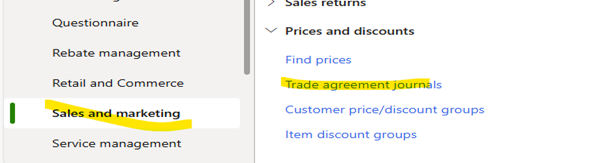
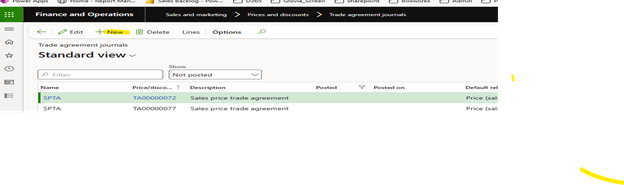
- Go to -"Sales and Marketing" module ->trade agreement Journals -> click New -> select “SPTA” and then click on the lines
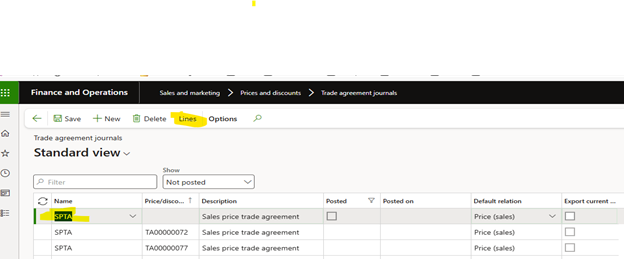
Click on the select.
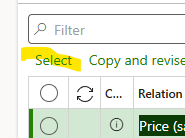
Select a customer and click on the select and verify if the todates are updated.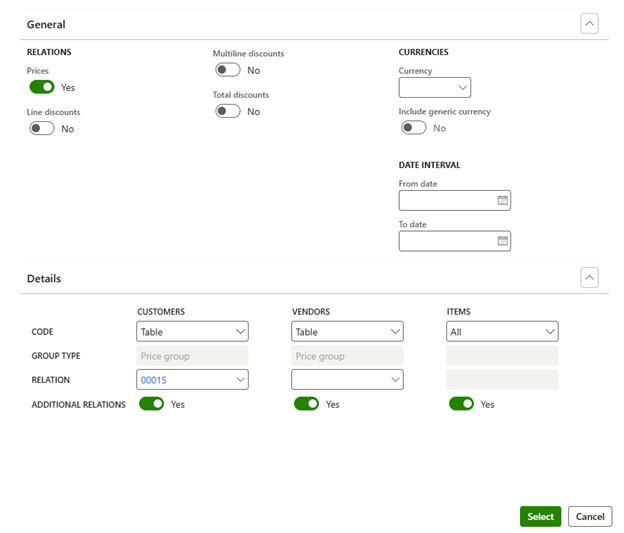
Was this article helpful?
That’s Great!
Thank you for your feedback
Sorry! We couldn't be helpful
Thank you for your feedback
Feedback sent
We appreciate your effort and will try to fix the article